
1. Conceptual Overview
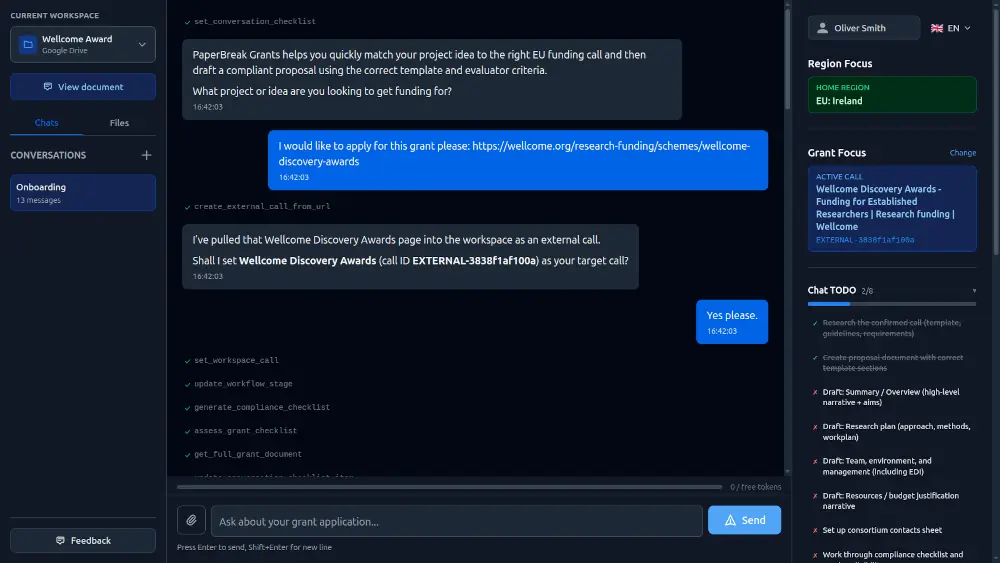
PaperBreak acts as your intelligent partner in the grant-writing process. Unlike generic AI tools, PaperBreak is grant-aware. It ingests the specific documentation, rules, and evaluation criteria of a funding body to ensure that what you write isn't just good, it's compliant.
The workflow follows a logical progression:
- Discover/Define: Identify the right grant call.
- Analyze: Automatically generate checklists from complex call documents.
- Draft: Collaborate with the AI to write sections based on your unique knowledge.
- Verify: Perform final compliance checks before submission.
2. Workspace
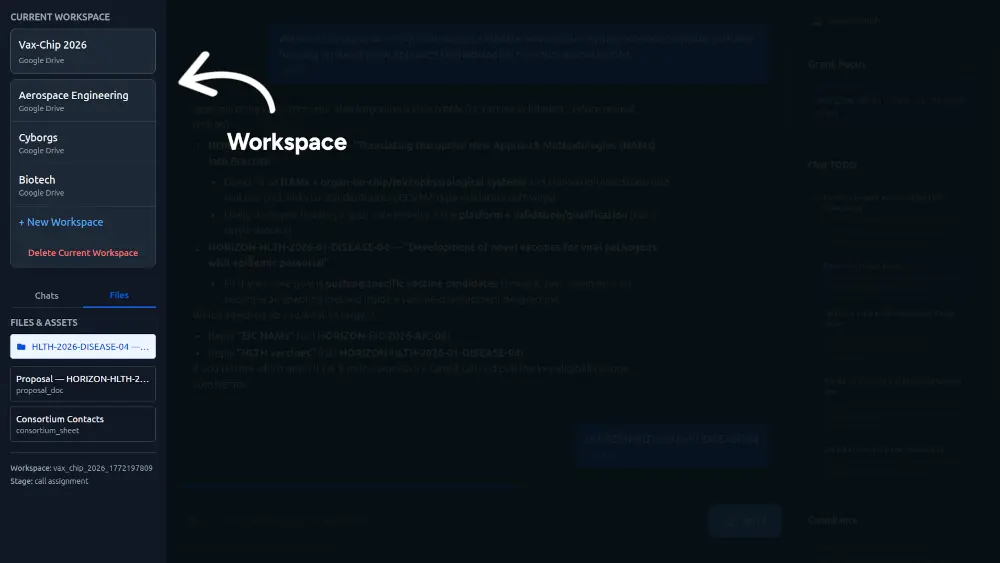
The Workspace is your central hub for managing grant applications.
- Organization: Group your applications by project or funding cycle.
- Management: From the workspace, you can track the status of multiple drafts, access the document viewer, and manage your integration settings.
- Quick Access: Use the workspace sidebar to jump between the To-Do list, the Chat interface, and your View Document preview.
3. Choosing a Grant Call
PaperBreak provides flexibility in how you start your application. You can target specific regions or bring your own requirements.
- Regional Focus: Directly select from curated, up-to-date grant calls in the EU, UK, or Germany.
- Custom Calls: If you are applying for a niche or private grant, you can supply a grant call from any funding body worldwide.
3.1 Grant Call Discovery
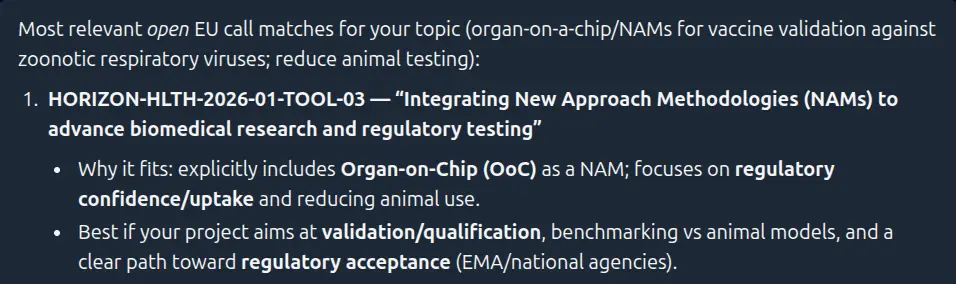
If you aren't sure which grant fits your project, use the Discovery tool:
- Enter a short Concept Note describing your project goals and technology.
- PaperBreak will scan available opportunities and suggest strong matches.
- For every match, the platform provides a reasoning summary, explaining exactly why your project aligns with that specific call's objectives.
3.2 Provide a Call

If you already know your target grant, you can input it in two ways:
- Web Link: Provide the URL to the official open call page.
- Upload Documents: Upload PDF files containing the application guidelines, templates, and work programmes.
4. To-Do & Compliance Checklists
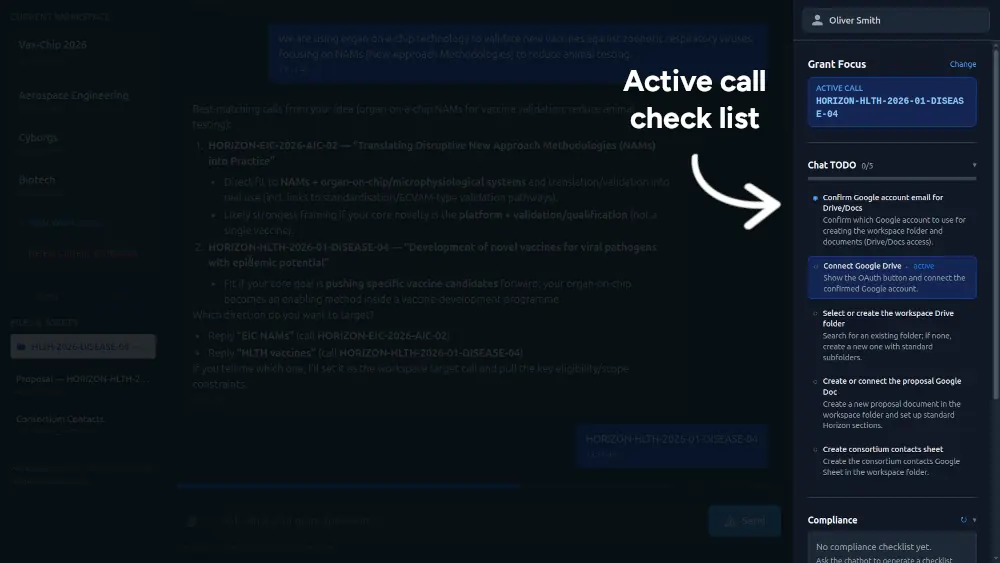
Once a call is selected, PaperBreak's AI ingests all associated documents. It automatically parses the bureaucratic requirements to produce:
- Compliance Checklists: A breakdown of mandatory administrative rules (font sizes, page limits, mandatory annexes).
- Technical To-Dos: A list of every section and sub-section required by the funding body.
This ensures you never miss a minor detail that could lead to a desk rejection.
5. Write Your Application
The writing process is a collaborative chat experience. You provide the technical knowledge, and PaperBreak provides the structure.
- Contextual Chat: Chat with PaperBreak to draft specific sections. You can paste in rough notes or data, and the AI will transform them into the professional tone required for the grant.
- Guided Progress: The system works through every section of the application sequentially, using your To-Do list to ensure nothing is skipped.
5.1 In-Platform Document
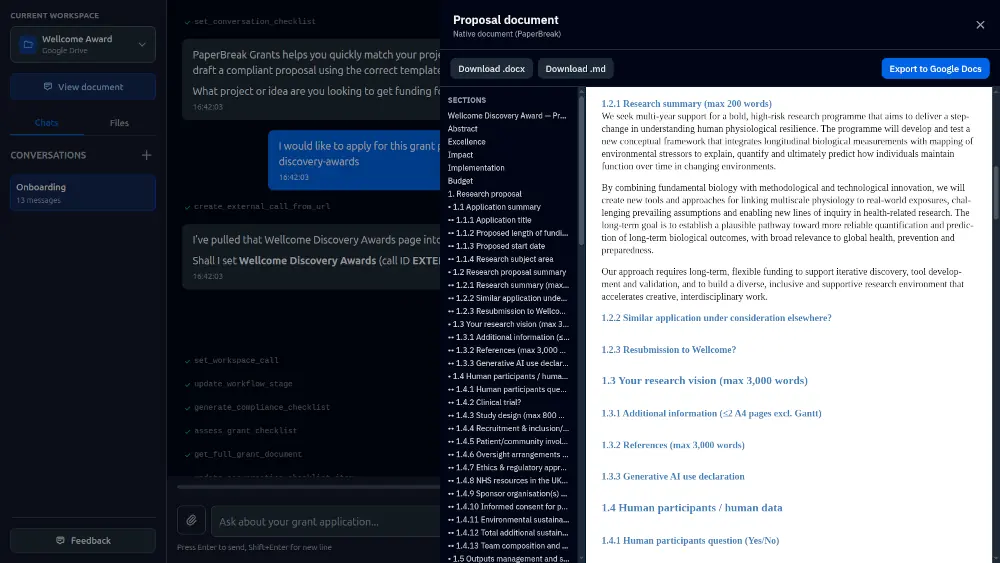
By default, PaperBreak maintains a live version of your document within the platform.
- Live Preview: Select View Document from the workspace section at any time to see how your application is shaping up.
- Auto-Formatting: The in-platform document automatically applies the required headers and structures found in the grant call documents.
5.2 Work Offline
If you prefer to do your final polishing outside of the platform:
- Complete your drafting within PaperBreak.
- Navigate to the export options and Download to Docx or Markdown.
- Review, edit, and format locally on your machine.
5.3 Integrate with Google Drive
For teams that prefer cloud collaboration, PaperBreak offers a live sync with Google Workspace:
- Select View Document from the workspace.
- Choose Export to Google.
- PaperBreak will create a live Google Doc in your Drive.
Note: The platform only requests permission to access files it creates, ensuring your other Drive data remains private.
6. Compliance Checking
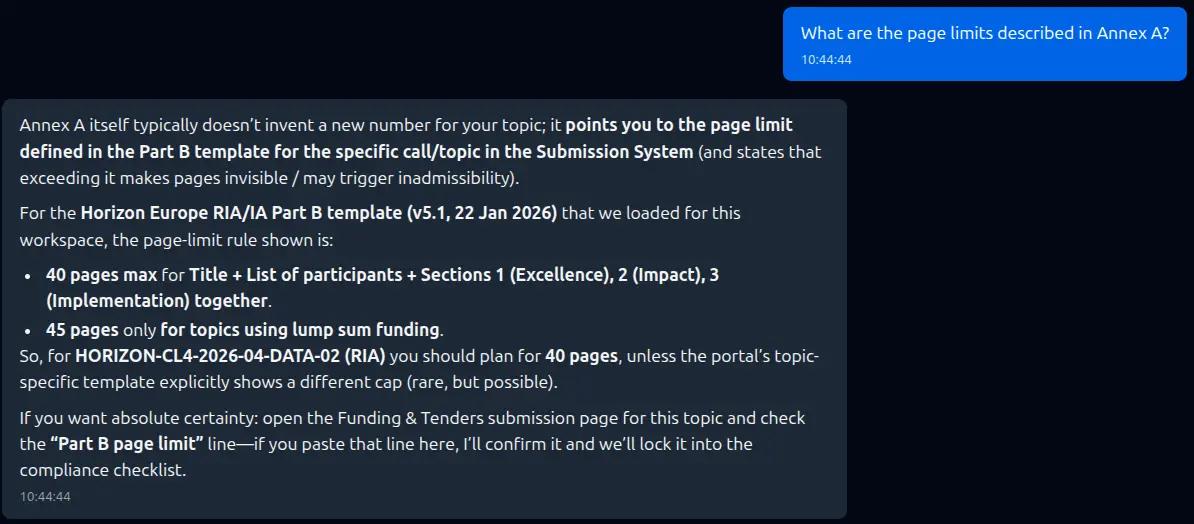
Before you submit, use the Compliance Checking tool for a final audit.
- Gap Analysis: The AI reviews your drafted content against the call specifications.
- Adherence Report: It highlights if you have missed a specific evaluation criterion or if a section doesn't sufficiently address the call's Expected Impacts.
Final Polish: Use these insights to refine your text and ensure it meets 100% of the funding body's requirements.
7. Account & Subscription Management
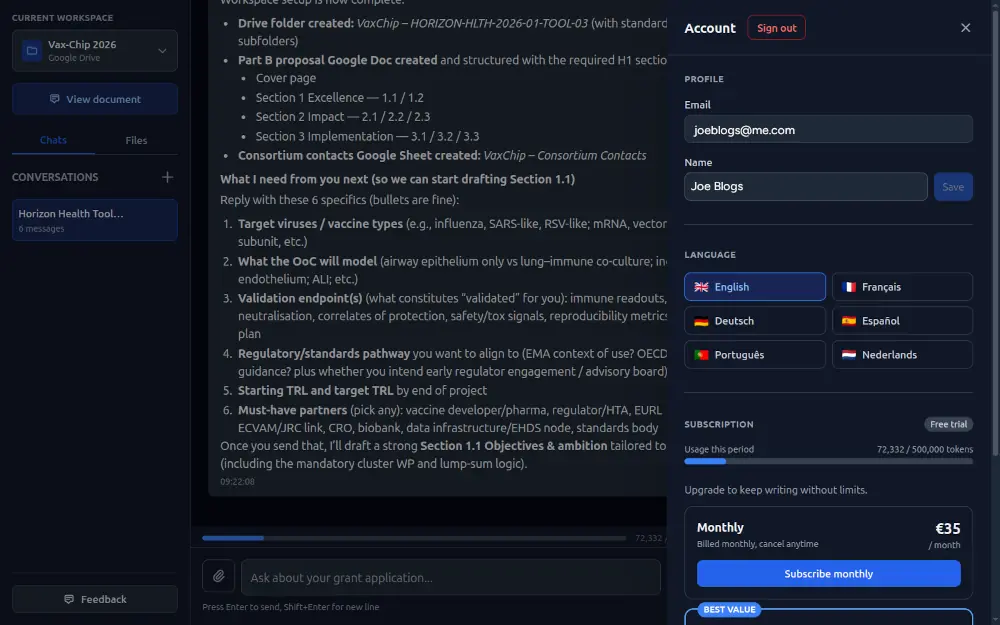
You can manage your profile, language settings, and billing directly from the PaperBreak interface. All financial transactions and sensitive billing data are handled securely via our payment partner, Stripe.
7.1 Managing Your Profile
To access your account settings, click your user name in the top-right corner of the dashboard. From the dropdown menu, you can:
- Update Your Name: Modify the display name associated with your account.
- Set Preferred Language: Select your preferred interface language to customize your workspace experience.
- Sign Out: Securely log out of your current session.
7.2 Credits and Subscriptions
PaperBreak offers flexible options to ensure you always have the AI power you need for your grant applications.
- Buying Credits: If you need a quick boost, you can purchase one-time top-up credits.
- Starting a Subscription: For ongoing projects, you can select a monthly or yearly subscription plan.
Learn more about pricing and credits
Learn how to get the most out of your tokens
The Payment Process:
When you choose to purchase credits or a subscription, you are redirected to a secure Stripe checkout page to enter your payment details. Once the transaction is complete, you are returned to PaperBreak and your credits or subscription features are activated immediately.
Please note that Stripe uses our official business name, Scidonia Limited.
7.3 Managing Your Billing (Stripe Portal)
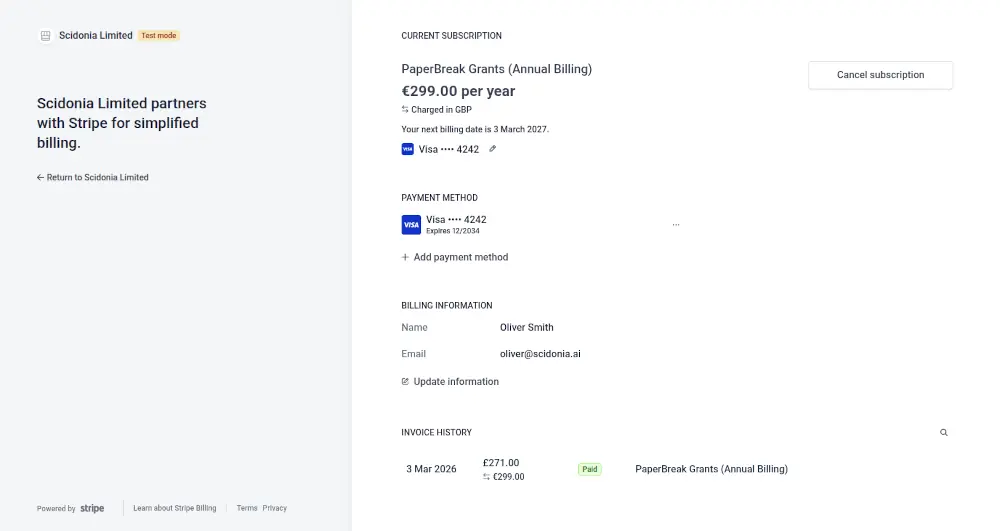
Once you have an active subscription, a Manage Subscription button appears in your account menu. Clicking it opens your personal Stripe Billing Portal, where you can:
- Invoices: View and download past invoices and payment receipts.
- Update Billing Information: Update your credit card details, billing address, or email for tax receipts.
- Cancel Subscription: Cancel at any time while retaining access to subscription features until the end of your current billing cycle.